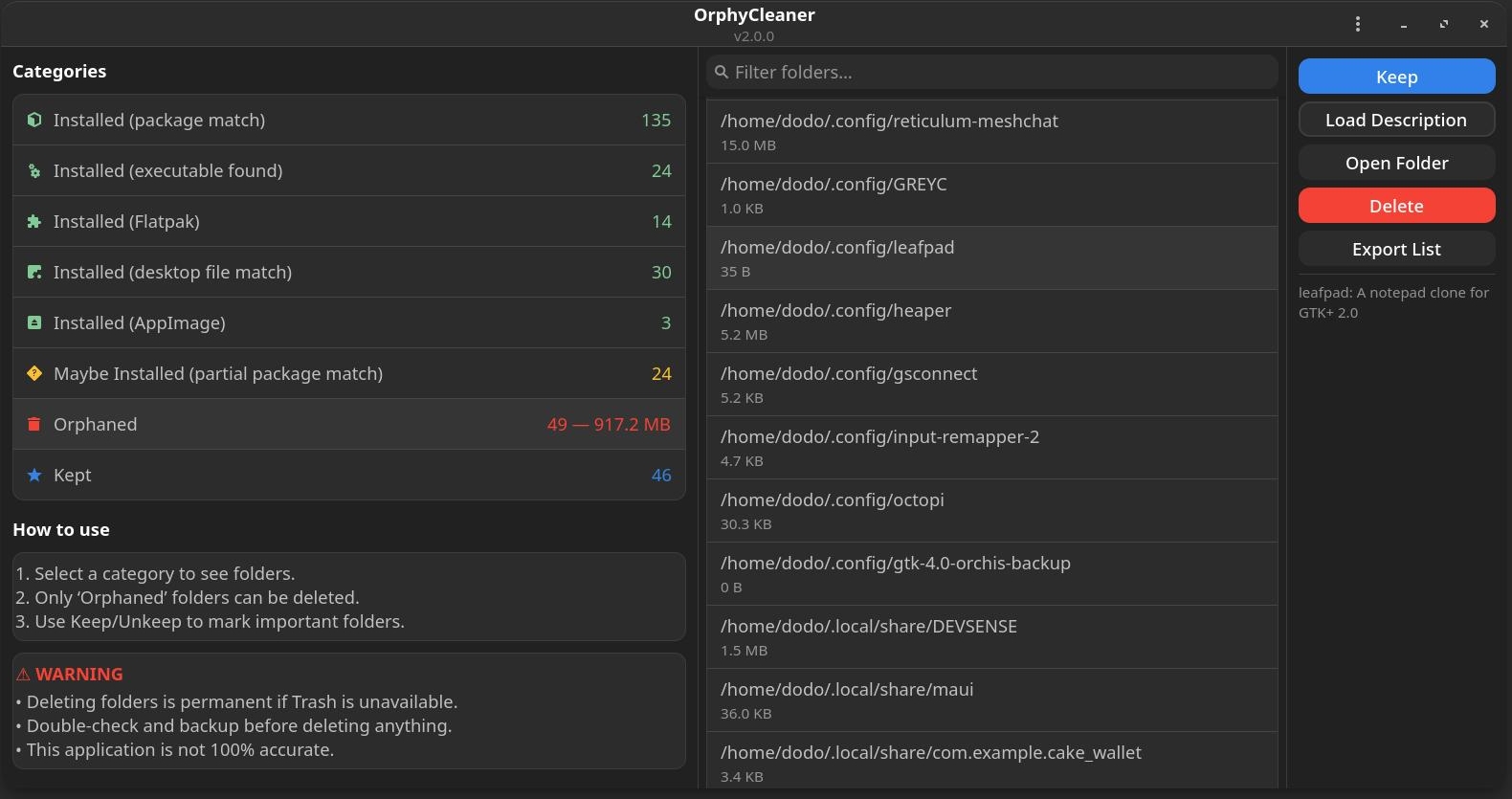
Overview
OrphyCleaner scans your Linux system for orphaned or unused application folders and helps you decide whether to keep or remove them. It looks up descriptions from Pacman, AUR, and Flatpak to make it easier to tell what a folder actually belongs to.
- Browse detected application folders
- See descriptions pulled from system and community sources
- Open folders, or delete them directly
- Mark folders to keep so they're never suggested again
- Decisions are saved and restored between runs
How scanning works
On startup, OrphyCleaner:
- Looks for application folders in common locations —
~/.local/share/, Flatpak directories, AppImage folders
- Compares them against installed Pacman packages, AUR packages (via yay/paru if available), Flatpaks, and AppImages
- Lists anything that doesn't match an installed app as a candidate for cleanup
How descriptions are retrieved
When you select a folder:
- OrphyCleaner guesses a package name from the folder name
- It queries, in order: Pacman (
pacman -Si), an AUR helper (yay/paru -Si), then Flatpak (flatpak info)
- The first valid description found is shown — if none is found, it shows "Description not found"
Files used and saved
~/.cache/orphycleaner/orphycleaner_pkg_cache.json — cache of package descriptions, keyed by source (pacman:, aur:, flatpak:). Delete this file to clear the cache.~/.local/share/orphycleaner/kept_folders.txt — folders you've marked as kept. Safe to edit or delete by hand.
Caching and negative results
If a package isn't found in Pacman, AUR, or Flatpak, OrphyCleaner caches a placeholder result so it doesn't repeat a slow lookup every time. To force a fresh check — say, once a package becomes available — delete orphycleaner_pkg_cache.json.
Cleaning workflow
- Browse through detected folders
- Read the description to judge whether it belongs to an installed app
- Mark it kept if you want to keep it — this updates
kept_folders.txt
- Otherwise, remove it from the app, or manually outside it
FAQ
Why does description lookup take a few seconds sometimes?
Queries to AUR helpers or Flatpak require system calls or network requests. Results are cached afterward to keep things fast.
It says "Description not found," but I know the package exists.
Make sure yay/paru (for AUR) or Flatpak is installed and on your PATH. Still stuck? Try deleting the cache file.
How do I make OrphyCleaner forget my choices?
Delete both orphycleaner_pkg_cache.json and kept_folders.txt.